Sheet
The mobile form of a modal or a drawer. Covers sheet and sheet-item.
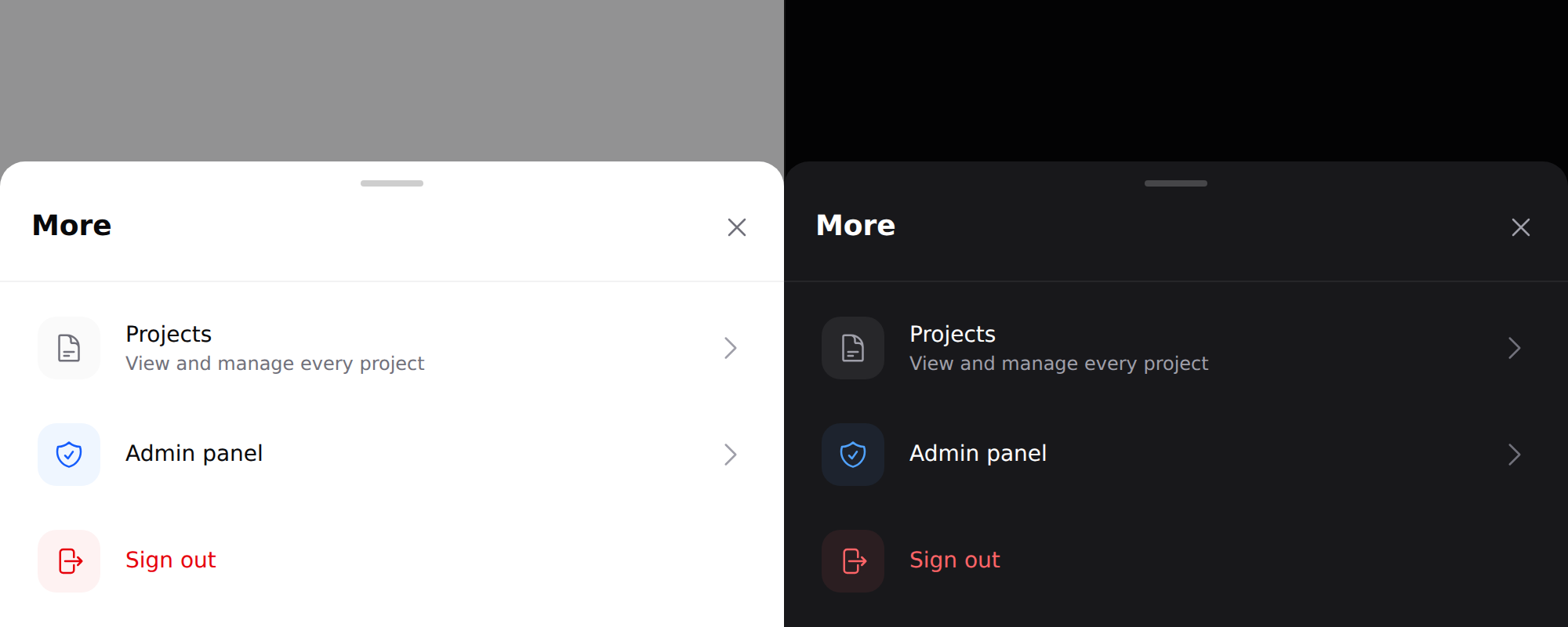
Needs Alpine. See getting started. The sheet is
lg:hidden— it does not render above thelgbreakpoint.
Use it
<div x-data="{ moreOpen: false }">
    <x-ds::button @click="moreOpen = true">More</x-ds::button>

    <x-ds::sheet open="moreOpen" title="More services">
        <x-ds::sheet-item href="/projects" label="Projects" description="View and manage every project">
            <x-slot:icon><x-ds::icon name="document-text" size="5" /></x-slot:icon>
        </x-ds::sheet-item>

        <x-ds::sheet-item label="Sign out" tone="danger" as="button">
            <x-slot:icon><x-ds::icon name="arrow-right-on-rectangle" size="5" /></x-slot:icon>
        </x-ds::sheet-item>
    </x-ds::sheet>
</div>
sheet props
| Prop | Type | Default | What it does |
|---|---|---|---|
open | Alpine reference | required | The boolean you declare. Must be assignable: the component sets it to false from the ✕ and the backdrop, so open="mode === 'more'" opens and then never closes. It throws rather than rendering that. |
title | string | — | Heading and close button. |
maxHeight | CSS length | 85vh | Cap on the panel height. |
sheet-item props
| Prop | Type | Default | What it does |
|---|---|---|---|
label | string | required | |
description | string | — | Second line. |
href | string | — | Makes it a link. |
tone | neutral accent danger | neutral | |
as | string | — | Force the element — button for a submit. |
disabled | bool | false | |
chevron | bool | follows the element |
Plus an icon slot.
It stops short of the top
Capped at 85% of the viewport, never full height. Leaving the page visible behind it is what makes a sheet feel dismissible — a full-height takeover reads as a new screen, and the reader loses the thread of where they were.
The chevron follows the element, not the styling
A chevron is a claim that the row goes somewhere. A link gets one; a submit
button does not. Sign out is a POST, so giving it a chevron would promise a
page it never shows. Disabled rows render as a div and fall out of the same
rule.
sheet-item'stoneresolve to classes on the server. They are chosen when the view renders, so binding it to Alpine state does nothing —::tone="…"sets an attribute nothing reads. To change it in the browser, bind the classes yourself with Alpine's object syntax, or re-render server-side. See Driving components from client-side state.
Tone: three, not ten
neutral | accent | danger. Not a free-form colour.
Only two kinds of row earn a tone, and they differ in kind rather than in
feature: accent for a role-gated door out of the app, danger for the one row
that ends the session. If a new row wants a tone, the question is which of those
two it belongs to — not which colour is still unused.
Don't
- Don't nest a sheet in a sheet.
- Don't use one above
lg. It is the mobile form of a modal, not a second one. - Don't give a non-navigating row a chevron.
More in specs/sheet.md.
From the package repo: edit this page on GitHub.