Date picker
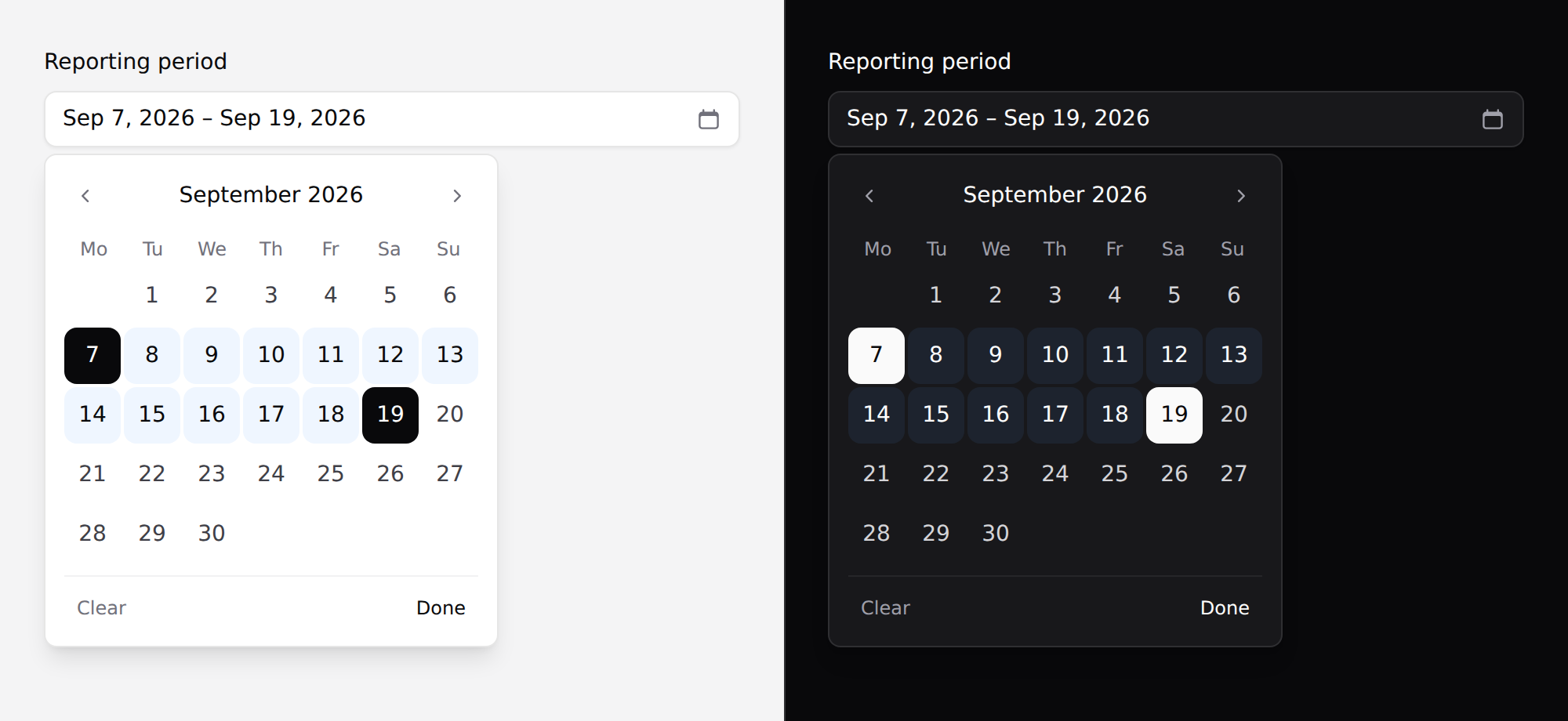
A calendar popover for one date or a range.
Needs Alpine. See getting started.
The native field may be what you want
<x-ds::input type="date" /> gives the platform's own date field. On anything
phone-first that is the better control — the OS picker is a wheel the reader
already knows, it's localised, and it costs nothing.
This component exists because the native popup can't be styled.
Use it
<x-ds::date-picker name="due" label="Due date" :value="old('due', $task->due_at)" />
{{-- posts due=2026-09-30 --}}
A range posts two fields:
<x-ds::date-picker name="period" label="Reporting period" :range="true"
                   :value="[$from, $to]" :min="now()->subYear()" :max="now()" />
{{-- posts period_start=2026-07-01 and period_end=2026-09-30 --}}
Two dates are two values — squeezing them into one string means every project writing the same parser and getting the separator wrong.
Props
| Prop | Type | Default | What it does |
|---|---|---|---|
name | string | required | Field name. With range, posts {name}_start / {name}_end. |
value | date|array | — | Y-m-d, a DateTimeInterface, or an array of two for a range. |
range | bool | false | Pick a start and an end. |
min / max | date | — | Earliest / latest selectable day. |
label | string | — | |
placeholder | string | Choose a date | |
weekStartsOn | 0 | 1 | 1 | Sunday or Monday. |
help | string | — | |
error | string | — | |
disabled | bool | false |
value accepts a Carbon instance directly, so $task->due_at works with no
formatting on your side.
Reading it back
The posted value is Y-m-d, which is what a date column and Carbon::parse both
want:
$request->validate([
    'period_start' => ['required', 'date'],
    'period_end'   => ['required', 'date', 'after_or_equal:period_start'],
]);

$from = Carbon::parse($request->period_start);
Keyboard
Arrows move a day, PageUp/PageDown a month, Home/End the ends of it. Moving past the edge of the month follows the grid — it changes month and keeps focus on the day it landed on.
A calendar that only answers to Tab makes a keyboard reader press it thirty times to reach the end of the month.
Range behaviour
First click sets the start, second sets the end. A second click before the start re-opens the range from there rather than producing a backwards range you then have to undo — that's the interaction people hit when they misread the calendar, and it should cost nothing.
While a range is half-made, hovering previews it.
Locale
Day and month names come from Carbon, so they follow config('app.locale'). The
summary in the trigger is formatted in the browser, so it follows the reader's
locale.
weekStartsOn is a prop because which day a week starts on is regional, and no
default is right everywhere.
Don't
- Don't use it on a phone-first screen. See the top of this page.
- Don't use it for a date of birth. A hundred-year calendar is thirteen hundred presses of "previous month" — that wants three selects or a text field.
- Don't add a time to it. A date and a time are two questions.
- Don't put it at the bottom of a page without checking it fits. No popover in this system does collision detection.
More in specs/date-picker.md, including why every
value here is a string rather than a Date.
From the package repo: edit this page on GitHub.