Modal
A surface that blocks the page until the reader deals with it.
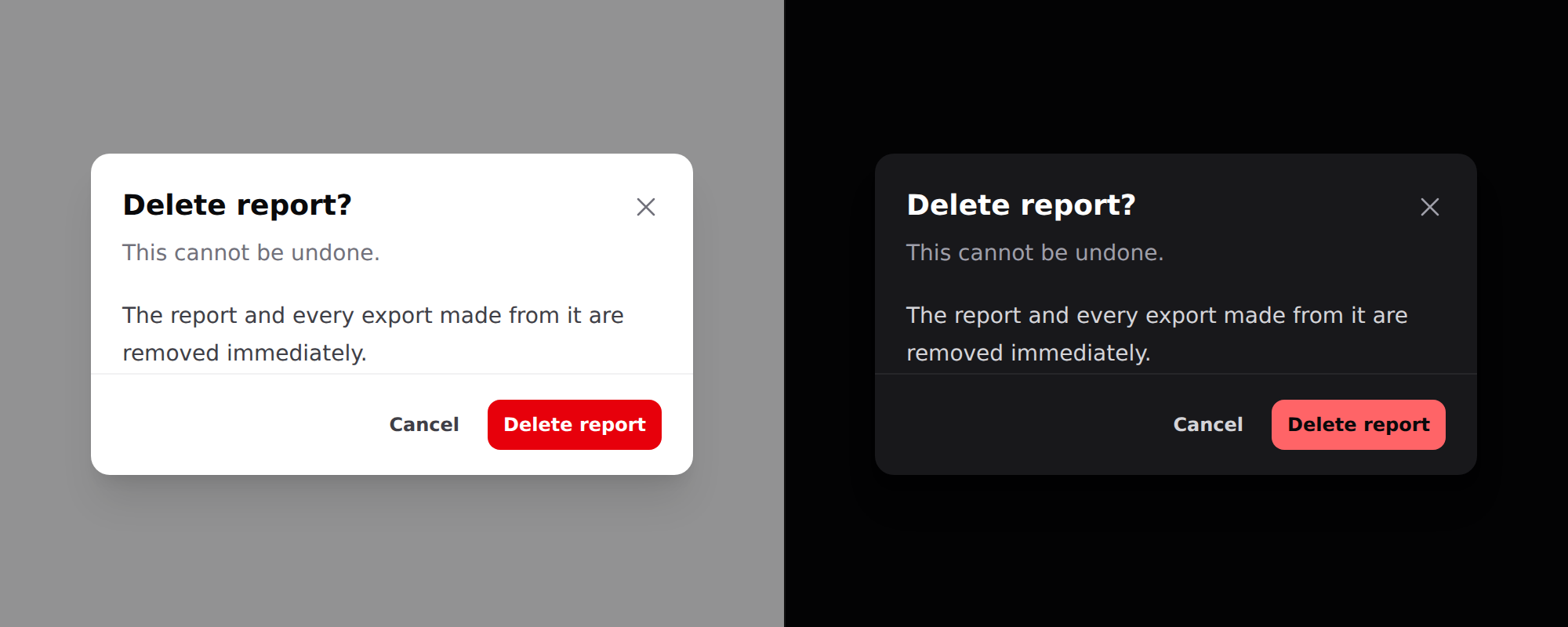
Needs Alpine. See getting started.
Use it
<div x-data="{ confirmOpen: false }">
    <x-ds::button variant="danger" @click="confirmOpen = true">Delete report</x-ds::button>

    <x-ds::modal open="confirmOpen" title="Delete report?" description="This cannot be undone." size="sm">
        The report and every export made from it are removed immediately.

        <x-slot:footer>
            <x-ds::button variant="ghost" size="sm" @click="confirmOpen = false">Cancel</x-ds::button>
            <x-ds::button variant="danger" size="sm">Delete report</x-ds::button>
        </x-slot:footer>
    </x-ds::modal>
</div>
Props
| Prop | Type | Default | What it does |
|---|---|---|---|
open | Alpine reference | required | The boolean you declare. Must be assignable — see below. |
title | string | — | Heading, and the dialog's accessible name. |
description | string | — | Second line, for the "are you sure" sentence. |
size | sm md lg xl 2xl 3xl 4xl full | md | Max width. Full width less a gutter on a phone, at every size. |
dismissible | bool | true | Backdrop click, Escape, and a close button. |
Plus a footer slot for the actions.
open is a reference, not a condition
Pass the name of a boolean in an Alpine scope above the modal —
"confirmOpen", not "true" and not a comparison. The component reads it and
writes false back to it from the close button, the backdrop and Escape, so it
has to be something JavaScript can assign to.
{{-- Broken: opens, and then nothing closes it --}}
<div x-data="{ mode: null }">
    <x-ds::button @click="mode = 'confirm'">Delete</x-ds::button>
    <x-ds::modal open="mode === 'confirm'" title="Delete report?">…</x-ds::modal>
</div>

{{-- Works: one property per dialog --}}
<div x-data="{ show: { confirm: false, rename: false } }">
    <x-ds::button @click="show.confirm = true">Delete</x-ds::button>
    <x-ds::modal open="show.confirm" title="Delete report?">…</x-ds::modal>
</div>
The broken form compiles to mode === 'confirm' = false. Reading it is fine, so
the modal opens correctly, and then the ✕, the backdrop and Escape all do
nothing — with a clean server log and one Invalid left-hand side in assignment
in the browser console.
Since v1.1 that throws at render time instead, naming the component and the expression.
Anything that owns a boolean works: x-data, a Livewire property via
@entangle, or a Volt state.
dismissible="false"
For a modal the reader must answer. A destructive confirm whose backdrop dismisses it gets dismissed by accident, and an accidental dismissal reads as "cancelled" — which is safe right up until it isn't.
With dismissible="false" the footer must offer a way out. A modal with no
exit is a trap, and the component cannot check that for you.
Modal, drawer or sheet
All three block the page:
- Modal — a question. One decision, then gone.
- Drawer — a workspace. Filters, a detail panel.
- Sheet — the mobile form of either.
A confirmation is a modal at every width. A list of choices below lg is a
sheet.
What you get for free
- Focus moves into the panel on open and returns to the trigger on close.
- Tab is trapped, both directions. No Alpine plugin needed.
- Escape closes, when
dismissible. - The page behind does not scroll.
- The visible title is the accessible name.
- The body scrolls, not the panel — so the title keeps naming the dialog and the footer keeps its actions reachable.
Give a field autofocus and focus lands there instead of the panel.
Sizes
sm through xl cover what a dialog is usually for: a confirm, a short form.
2xl through 4xl are for content whose natural measure is horizontal — a
table preview, a diff, a side-by-side compare, a log excerpt. full is the
container less its p-4 gutter, capped at 96rem so it does not become a 2528px
dialog on a wide monitor — 348px at 380, 1408px at 1440, 1536px at 2560.
<x-ds::modal open="preview" size="3xl" title="invoice-2026-08.csv">
    <x-ds::table>…</x-ds::table>
</x-ds::modal>
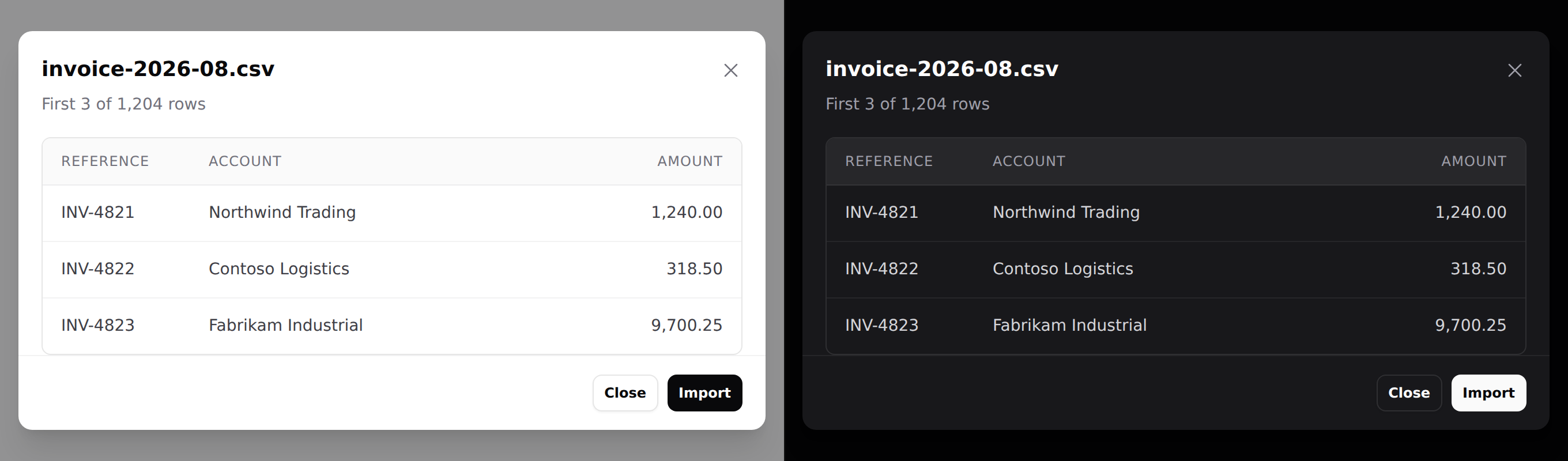
Every size is full width less the gutter on a phone — w-full does that, and
max-w-* only caps it. Nothing extra is needed for mobile.
Past roughly 3xl, ask whether it wants to be a page. Something that needs
900px of horizontal room usually also wants a URL and a back button. The widths
are here because "preview this file" is real, not because a bigger modal is a
better one.
Don't
- Don't give
opena comparison.open="mode === 'confirm'"opens and then ignores every way of closing. See above. - Don't nest a modal in a modal. Two blocking layers give the reader no way to know what Escape means.
- Don't open a modal and a sheet together. They share
z-50. - Don't hold a workflow in one. More than one decision belongs on a page.
- Don't put a form's only validation errors in a modal that closes on submit.
More in specs/modal.md.
From the package repo: edit this page on GitHub.