Accordion
Sections that expand one at a time. Covers accordion and accordion-item.
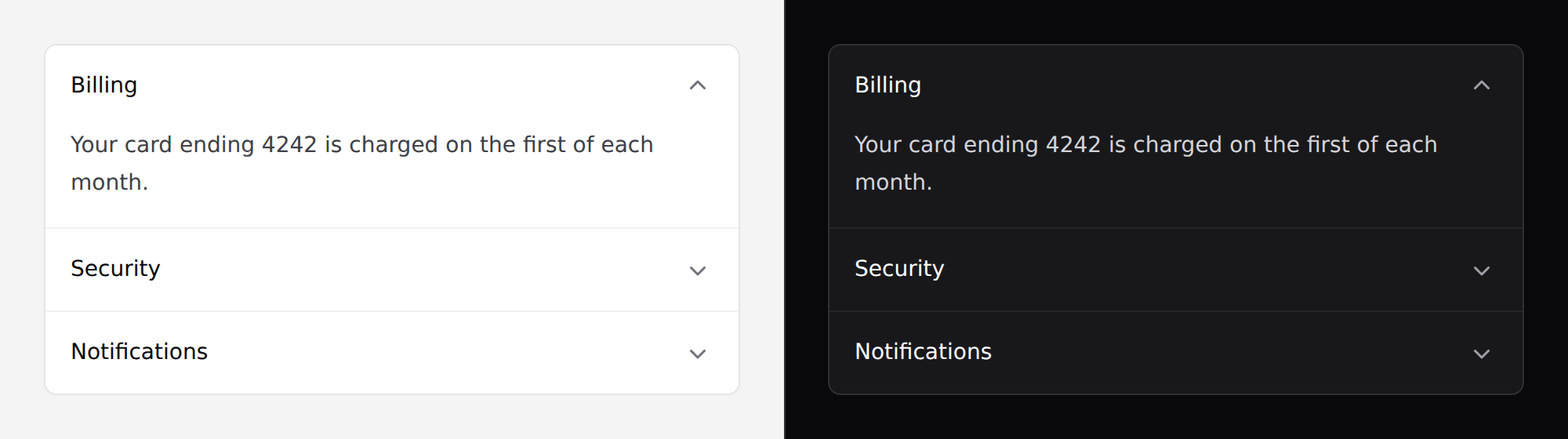
Needs Alpine. See getting started.
Use it
<x-ds::accordion open="billing">
    <x-ds::accordion-item title="Billing" name="billing">
        Your card ending 4242 is charged on the first of each month.
    </x-ds::accordion-item>

    <x-ds::accordion-item title="Security" name="security">
        Two-factor authentication is on.
    </x-ds::accordion-item>
</x-ds::accordion>
accordion props
| Prop | Type | Default | What it does |
|---|---|---|---|
multiple | bool | false | Allow several sections open at once. |
open | string|array | — | The section open on first paint — an item's name, or an array of them when multiple. |
accordion-item props
| Prop | Type | Default | What it does |
|---|---|---|---|
title | string | required | The heading. Always visible. |
name | string | derived from the title | Stable key the parent tracks. |
as | h2–h6 | h3 | Heading level for the trigger. |
Several open at once
<x-ds::accordion :multiple="true" :open="['shipping', 'returns']">
    <x-ds::accordion-item title="Shipping" name="shipping">…</x-ds::accordion-item>
    <x-ds::accordion-item title="Returns" name="returns">…</x-ds::accordion-item>
    <x-ds::accordion-item title="Warranty" name="warranty">…</x-ds::accordion-item>
</x-ds::accordion>
Pick the heading level
The trigger sits inside a heading so a screen reader can jump between sections. Which level is right depends on your page:
{{-- inside a section that already has an <h2> --}}
<x-ds::accordion-item title="Billing" as="h3">…</x-ds::accordion-item>
This one component holds state
Every other component takes its open state from you. The accordion owns it, because exclusivity is a relationship between the items — no single item can enforce it, and pushing it out means writing the same toggle in every project.
What it owns is one key. That's not application state.
Don't
- Don't hide required form fields in a collapsed section. The browser can't focus a control inside a hidden panel, so submit fails with no visible reason and no way to find the field. Same trap as tabs.
- Don't nest accordions.
- Don't use it where the reader needs to compare sections — exclusive means they can only see one.
- Don't use it to hide primary content. It's for reference material.
More in specs/accordion.md, including why this uses
the ARIA disclosure pattern rather than <details>.
From the package repo: edit this page on GitHub.