Drawer
A panel that slides in from the edge and blocks the page behind it.
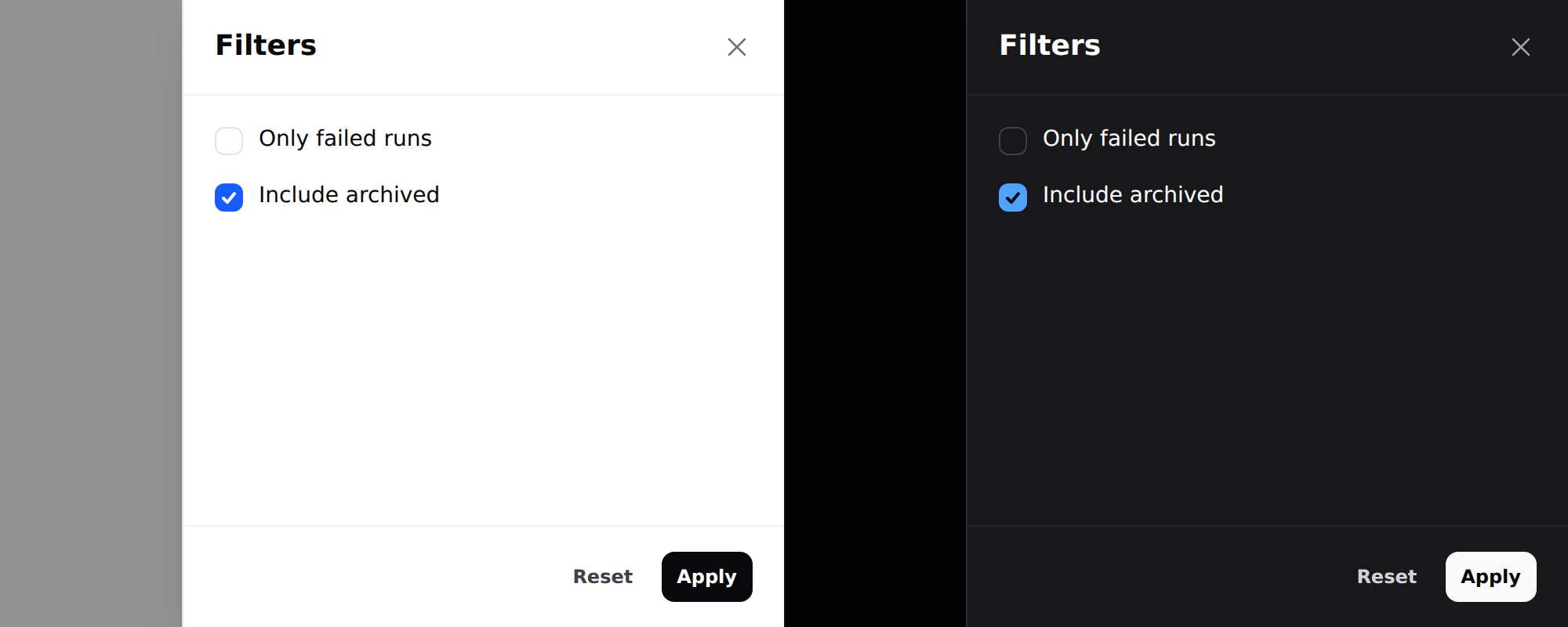
Needs Alpine. See getting started.
Use it
<div x-data="{ filtersOpen: false }">
    <x-ds::button variant="secondary" @click="filtersOpen = true">Filters</x-ds::button>

    <x-ds::drawer open="filtersOpen" title="Filters" side="right" size="sm">
        <div class="flex flex-col gap-3">
            <x-ds::checkbox name="failed" label="Only failed runs" />
            <x-ds::checkbox name="archived" label="Include archived" />
        </div>

        <x-slot:footer>
            <x-ds::button variant="ghost" size="sm" @click="filtersOpen = false">Reset</x-ds::button>
            <x-ds::button size="sm">Apply</x-ds::button>
        </x-slot:footer>
    </x-ds::drawer>
</div>
Props
| Prop | Type | Default | What it does |
|---|---|---|---|
open | Alpine reference | required | The boolean you declare. Must be assignable — see below. |
title | string | — | Heading, and the dialog's accessible name. |
side | right left | right | Which edge it enters from. |
size | sm md lg xl 2xl full | md | Max width. Full width on a phone, at every size. |
dismissible | bool | true | Backdrop click, Escape, close button. |
Plus a footer slot.
open is a reference, not a condition
The component reads open and writes false back to it from the close button,
the backdrop and Escape, so it has to be something JavaScript can assign to. The
natural way to drive two drawers from one variable is the way that breaks:
{{-- Broken: opens, and then nothing closes it --}}
<div x-data="{ side: null }">
    <x-ds::button @click="side = 'right'">Filters</x-ds::button>
    <x-ds::drawer open="side === 'right'" title="Filters">…</x-ds::drawer>
</div>

{{-- Works: one property per panel --}}
<div x-data="{ show: { right: false, left: false } }">
    <x-ds::button @click="show.right = true">Filters</x-ds::button>
    <x-ds::drawer open="show.right" title="Filters">…</x-ds::drawer>
</div>
The broken form compiles to side === 'right' = false. Reading it is fine, so
the drawer opens correctly, and then the ✕, the backdrop and Escape all do
nothing — clean server log, one Invalid left-hand side in assignment in the
browser console. Since v1.1 that throws at render time instead.
Sizes
sm through lg are filter-panel widths and the common case. xl and 2xl
are for a drawer used to read a record rather than filter one — a detail pane
beside the list it came from.
<x-ds::drawer open="show.detail" size="2xl" title="Run #4821">
    <x-ds::panel title="Summary">…</x-ds::panel>
</x-ds::drawer>
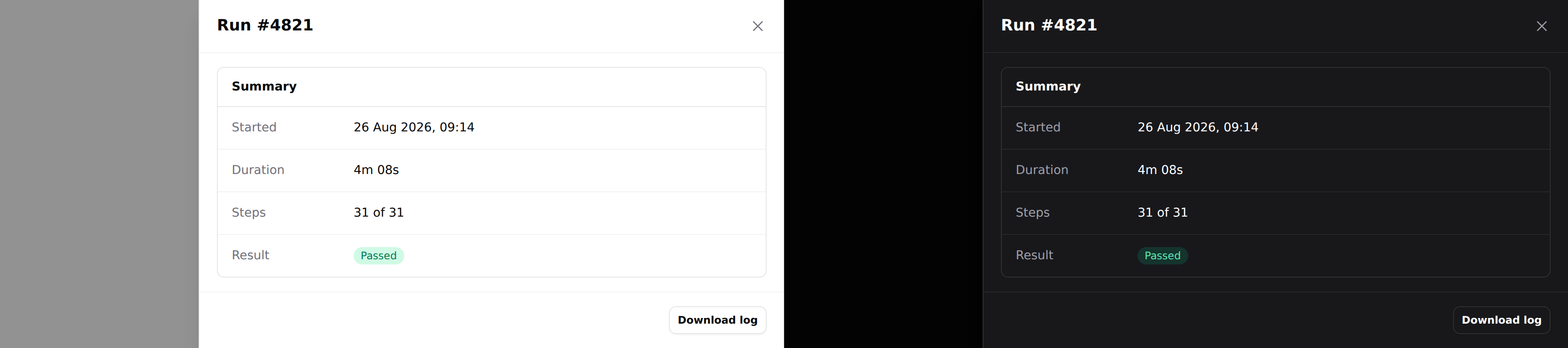
Note the strip of page still visible behind it. That is the difference between a
wide drawer and a new screen, and it is why full stops 3rem short.
full is calc(100vw - 3rem), not edge to edge. The strip of page still showing
behind it is what keeps it reading as a drawer rather than a new screen — if you
want the whole viewport, you want a page.
Which side
Right for filters and detail — it is where the reader's attention already is after they clicked something on the right. Left for navigation, because that is where navigation lives.
Modal or drawer
The tell is how long the reader stays. A modal is answered; a drawer is worked in, then closed.
A drawer holding one yes/no question wastes the whole height of the screen on it. A modal holding twelve filters scrolls.
What you get for free
Same contract as the modal: focus moves in and returns to the trigger, Tab is trapped both ways, Escape closes, the page behind does not scroll, and the body scrolls while the header and footer stay put — which matters most for a long filter list, exactly where losing the Apply button off the bottom hurts.
Don't
- Don't drive several drawers from one variable.
open="side === 'right'"is not assignable: it opens and then ignores every way of closing. See above. - Don't open a drawer from a drawer.
- Don't use one for navigation above
lg. That is the sidebar. - Don't put the submit in the scrolling body. That is what
footeris for.
More in specs/drawer.md.
From the package repo: edit this page on GitHub.