Dropdown
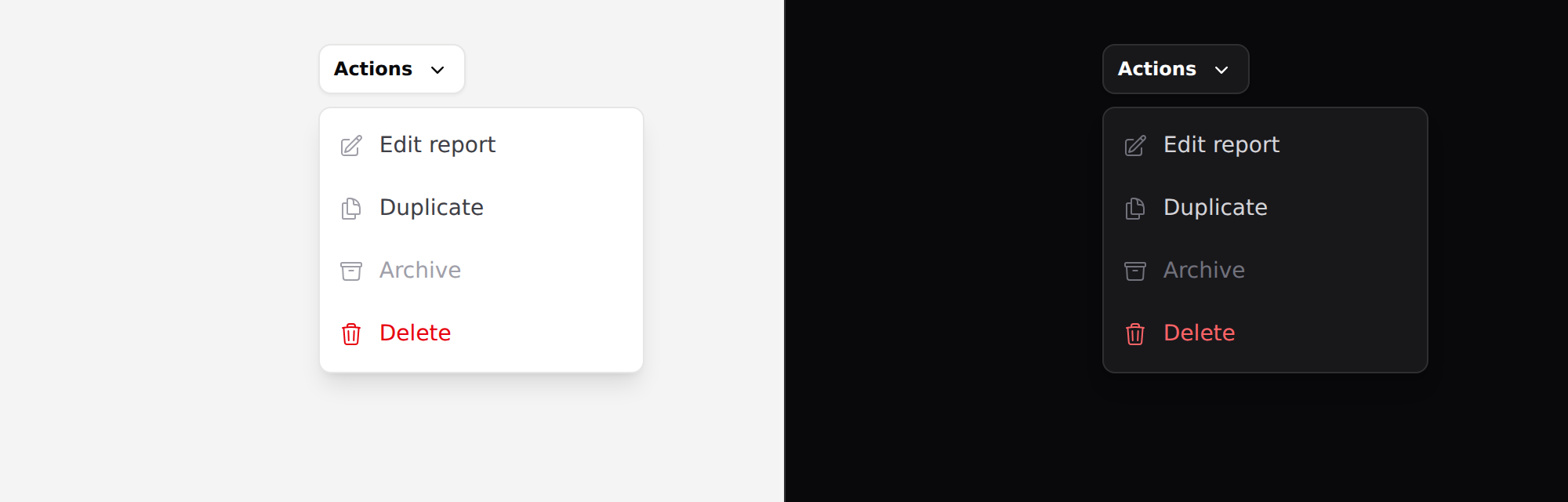
A menu of actions anchored to the control that opened it. Covers dropdown and
dropdown-item.
Needs Alpine. See getting started.
Use it
open is optional here — leave it off and the menu scopes its own state, so
a kebab menu on every row of a table needs no wrapper:
<x-ds::dropdown>
    <x-slot:trigger>
        <x-ds::button variant="secondary" size="sm">
            Actions <x-ds::icon name="chevron-down" variant="mini" size="4" />
        </x-ds::button>
    </x-slot:trigger>

    <x-ds::dropdown-item icon="pencil-square" href="/edit">Edit report</x-ds::dropdown-item>
    <x-ds::dropdown-item icon="document-duplicate" href="/duplicate">Duplicate</x-ds::dropdown-item>
    <x-ds::dropdown-item icon="trash" tone="danger" as="button">Delete</x-ds::dropdown-item>
</x-ds::dropdown>
Pass open="menuOpen" when something else also needs to open it.
dropdown props
| Prop | Type | Default | What it does |
|---|---|---|---|
open | Alpine expression | — | Omit to let it scope its own state. |
placement | bottom-end bottom-start top-start top-end | bottom-end | Which corner it hangs from. |
Plus a trigger slot.
dropdown-item props
| Prop | Type | Default | What it does |
|---|---|---|---|
icon | string | — | Leading Heroicon. |
href | string | — | Makes it a link. |
tone | neutral danger | neutral | Two tones only. |
as | string | — | button forces type="submit". |
disabled | bool | false |
Not a select
A dropdown holds verbs. A select holds values — it is a form field and it posts something.
The tell is what happens on click: an item that does something is a menu item; an item that becomes the field's value is an option.
Placement
bottom-end is the default because the overwhelming case is a trigger on the
right of a row, where a left-aligned menu runs off the page.
There is no collision detection. The component does not know where the
viewport edge is — a menu near the bottom of the page needs placement="top-*"
from you.
The trigger is your element
Put whatever you like in the trigger slot. The component finds the button or
link inside it and keeps aria-haspopup and aria-expanded on it, so a screen
reader is told the button owns a menu and whether it is open.
Keyboard
Arrow keys move between items; Home and End jump to the ends. Disabled items are skipped, not merely dimmed. Focus enters the first enabled item on open and returns to the trigger on close. Escape closes; Tab closes and moves on.
Don't
- Don't put a form in it. Click-outside and Escape will discard what the reader typed, with no warning.
- Don't nest a submenu. There is no hover intent and no keyboard way back out.
- Don't use it for primary navigation. That is nav-item — navigation should not be hidden.
- Don't build a select out of it.
More in specs/dropdown.md.
From the package repo: edit this page on GitHub.