Alert
A block that tells the reader something about the page they are on.
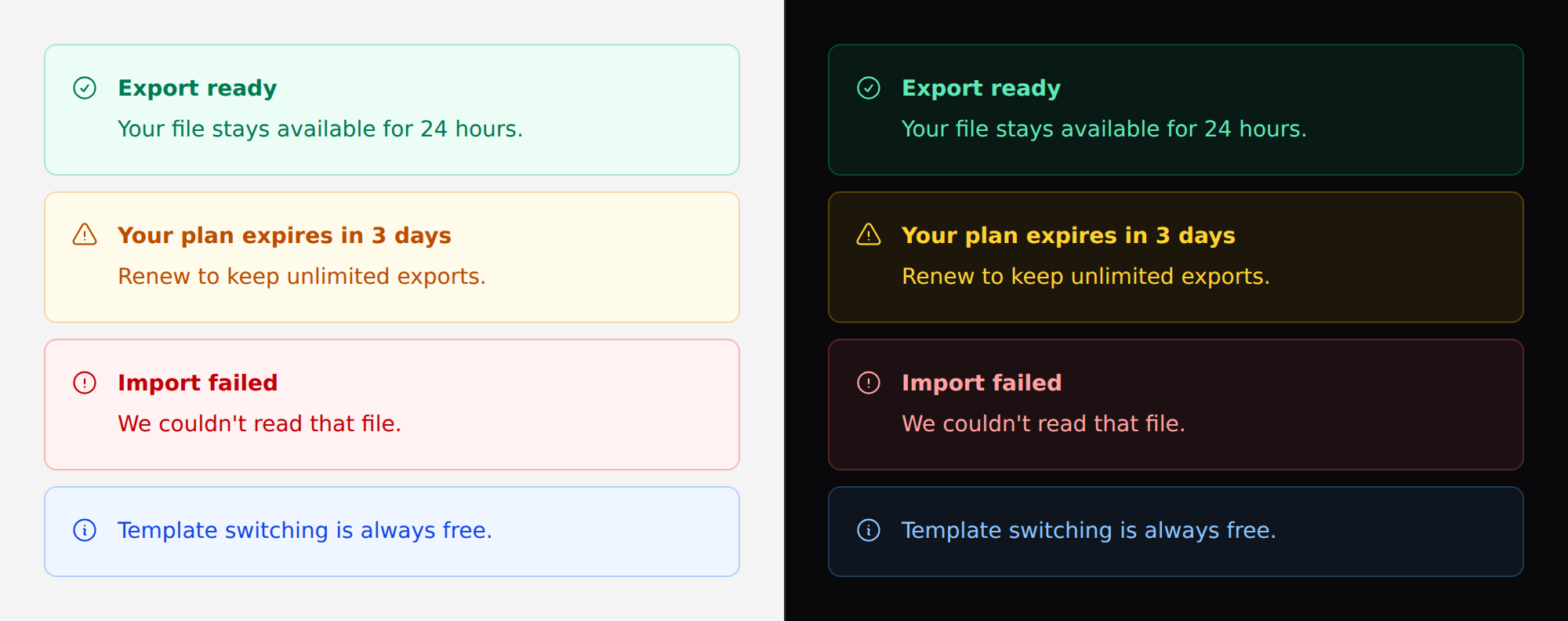
Not a toast: a toast floats over the page and is dismissed by time, an alert sits in the flow next to the thing it is about and stays until the reason is gone.
Use it
<x-ds::alert tone="danger" title="Import failed">
    We couldn't read that file. Try a text-based export rather than a scan.
</x-ds::alert>
Props
| Prop | Type | Default | What it does |
|---|---|---|---|
tone | accent success warning danger | accent | What kind of news it is. |
title | string | — | Bold first line. Omit for the single-line form. |
icon | string | tone's default | Override the leading Heroicon. |
dismissible | bool | false | Adds a close control. |
Each tone brings its own icon, so the common case needs no icon.
toneresolve to classes on the server. They are chosen when the view renders, so binding it to Alpine state does nothing —::tone="…"sets an attribute nothing reads. To change it in the browser, bind the classes yourself with Alpine's object syntax, or re-render server-side. See Driving components from client-side state.
One sentence needs no title
A title that restates the sentence below it is two copies of the same message.
<x-ds::alert>Template switching is always free — it never costs credits.</x-ds::alert>
dismissible is only for what can be ignored
A blocking error has no dismiss. Dismissing it hides the reason the thing they asked for did not happen, and the reader is left looking at a page that simply did not do what they said.
The rule of thumb: if the alert is the answer to something the reader did, it is not dismissible. If it is context they did not ask for, it may be.
dismissibleneeds no JavaScript — the close control uses a plain handler, so an alert works in a page with no Alpine and no Livewire.
Accessibility
role follows the tone, and this is the whole point of the component:
dangergetsrole="alert"— assertive. It interrupts whatever the screen reader is saying, which is right for a failure.- Everything else gets
role="status"— polite. It waits its turn.
Interrupting is rude for a confirmation. A role="alert" on every success
message means a reader cannot finish a sentence while the page is going well.
A live region only announces content that arrives after it is in the DOM. An alert rendered with the page is read in normal document order, not announced — which is correct for a server-rendered validation summary. To announce one, insert the element; do not render it hidden and reveal it.
Don't
- Don't stack alerts. Three alerts is a page with no message.
- Don't use one for field validation. That is the
errorprop on input, which wires the message to the control itself. - Don't use
dangerfor a warning.alertinterrupts — spend it on failures. - Don't put a form or a menu inside one. A live region announces its whole contents when it changes.
More in specs/alert.md.
From the package repo: edit this page on GitHub.