Input
A text field, a textarea, or a native select. One component, three shapes.
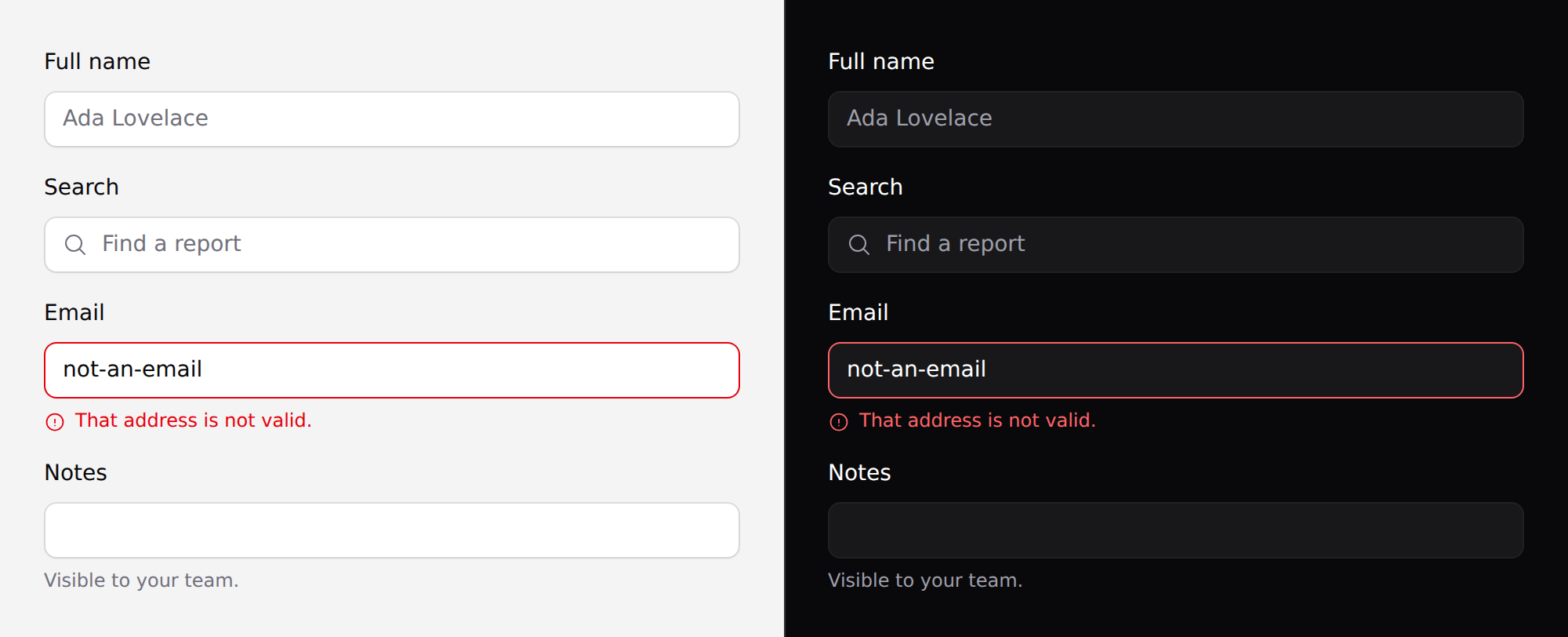
Use it
<x-ds::input name="email" label="Email address" type="email" />
<x-ds::input as="textarea" name="notes" label="Notes" :rows="4" />
<x-ds::input as="select" name="plan" label="Plan">
    <option value="free">Free</option>
    <option value="pro">Pro</option>
</x-ds::input>
Props
| Prop | Type | Default | What it does |
|---|---|---|---|
as | input textarea select | input | Which control to render. |
type | string | text | Any HTML input type. Ignored for the other two. |
label | string | — | Rendered as a real <label for>. |
help | string | — | Guidance under the field. |
error | string | — | Validation message. Styles the control and sets aria-invalid. |
icon | string | — | Heroicon inside the control, before the value. |
rows | int | 3 | Textarea only. |
disabled | bool | false |
name, value, placeholder, required, wire:model and anything else pass
straight through to the control.
help is replaced by error, never stacked
Two lines of guidance under one field is one too many. Pass both and the error wins while it is there.
<x-ds::input
    name="email"
    label="Email address"
    help="We only use this for receipts."
    :error="$errors->first('email')"
/>
With Laravel validation that is the whole integration — $errors->first()
returns null when the field is clean, so help shows until it doesn't.
An id is generated if you don't give one
The label needs a for and the help text needs an aria-describedby, so the
component generates a stable id per field. Pass your own id when something
outside needs to point at the control.
The select here is the native one
as="select" renders a real <select> — the OS control, with the OS popup.
On anything phone-first that is the right choice: it gets typeahead and the
platform's own scrolling for free.
Use x-ds::select when the unstyleable native popup is the problem.
Accessibility
labelis a real<label for>, so clicking it focuses the field.errorsetsaria-invalid="true"and wiresaria-describedby.- The focus ring is drawn inward, so the box never changes size on focus and nothing below it shifts.
- Omit
labelonly when a visible label elsewhere already names the field — and then give the control anaria-labelyourself.
Don't
- Don't use a placeholder as the label. It disappears the moment someone types, and it is invisible to autofill.
- Don't put the error in an alert above the form. The reader then has to work out which field it meant.
- Don't disable a field to mean "not applicable". Hide it, or explain in
help— a greyed-out field is a question with no answer.
More in specs/input.md.
From the package repo: edit this page on GitHub.