File upload
A styled file field with drag-and-drop and local image previews.
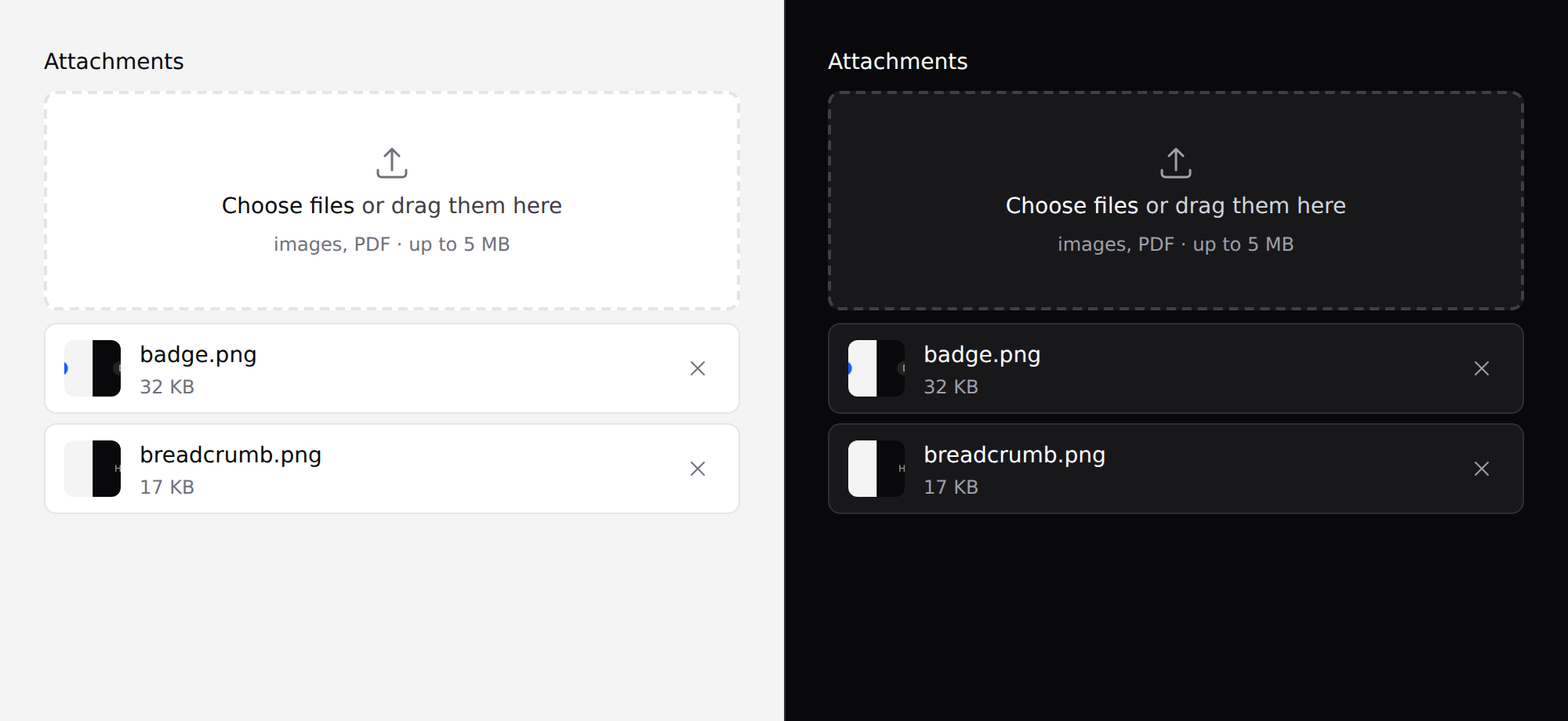
It does not upload anything. It's a real
<input type="file">, so a plain form POST andwire:modelboth work unchanged. See where the line is.
Use it
<form method="POST" action="/attachments" enctype="multipart/form-data">
    @csrf
    <x-ds::file-upload
        name="attachments[]"
        label="Attachments"
        :multiple="true"
        accept="image/*,.pdf"
        :maxSize="5 * 1024 * 1024"
    />
    <x-ds::button type="submit">Upload</x-ds::button>
</form>
enctype="multipart/form-data" is yours to remember — without it the browser
posts only filenames, and the failure looks like a broken upload rather than a
missing attribute.
Props
| Prop | Type | Default | What it does |
|---|---|---|---|
name | string | required | Field name. Add [] yourself when multiple. |
label | string | — | |
multiple | bool | false | Accept more than one file. |
accept | string | — | "image/*", ".pdf,.csv". Rendered as a human hint. |
maxSize | int | — | Bytes. Checked in the browser only. |
preview | bool | true | Thumbnail for image files, read locally. |
help | string | — | |
error | string | — | |
disabled | bool | false |
With Livewire
<x-ds::file-upload name="photo" label="Profile photo" accept="image/*" wire:model="photo" />
Livewire owns the upload; the component just presents the field.
With validation
<x-ds::file-upload
    name="contract"
    label="Signed contract"
    accept=".pdf"
    :maxSize="10 * 1024 * 1024"
    :error="$errors->first('contract')"
/>
accept and maxSize are courtesies, not validation. Both are hints to the
file dialog and both can be bypassed by dragging. Validate on the server:
$request->validate(['contract' => ['required', 'mimes:pdf', 'max:10240']]);
What it does not do
No progress bars, no transport. Progress needs somewhere to upload to, and a
component that knows that has a backend contract — which nothing else in this
system has. Livewire solves it with wire:model; a plain form solves it with
<form>.
Don't
- Don't forget
[]on the name whenmultiple. PHP keeps only the last file, and nothing reports it. - Don't rely on
acceptormaxSizefor validation. - Don't use it for an avatar that needs cropping. That's a different component and it doesn't exist.
More in specs/file-upload.md.
From the package repo: edit this page on GitHub.